

Every single time you open a browser and go somewhere online, a URL is doing the work. You see it sitting in the address bar — sometimes short, sometimes a messy string of letters and slashes — but most people have never stopped to think about what what is a url actually means and why it matters beyond just “the website address.”
That’s exactly what this covers. And by the end, you’ll understand URLs better than most people who work in tech.
The Real Answer to What Is a URL — Not Just a Web Address
URL stands for Uniform Resource Locator. The word “uniform” is doing heavy lifting here — it means every single resource on the internet follows the same standard format for its address. No exceptions, no variations between countries or platforms.
Think of it like a postal address system. Your home has a street number, a street name, a city, and a country. The postal service follows that exact format everywhere. A URL works the same way — it tells your browser the exact location of a resource on the internet, step by step, in a specific order the browser can always read.
And “resource” is broader than most people realize. A URL doesn’t just point to webpages. URLs are also used in email communications, file transferring processes, and database accessing — anything that lives on a server somewhere on the web. When you stream a song, download a file, or load an image inside an article, a URL is quietly working behind the scenes.
Breaking Down Every Part Of A URL — With Real Examples
Here’s where things get genuinely interesting. A URL isn’t one single thing — it’s several pieces working together. Take this example:
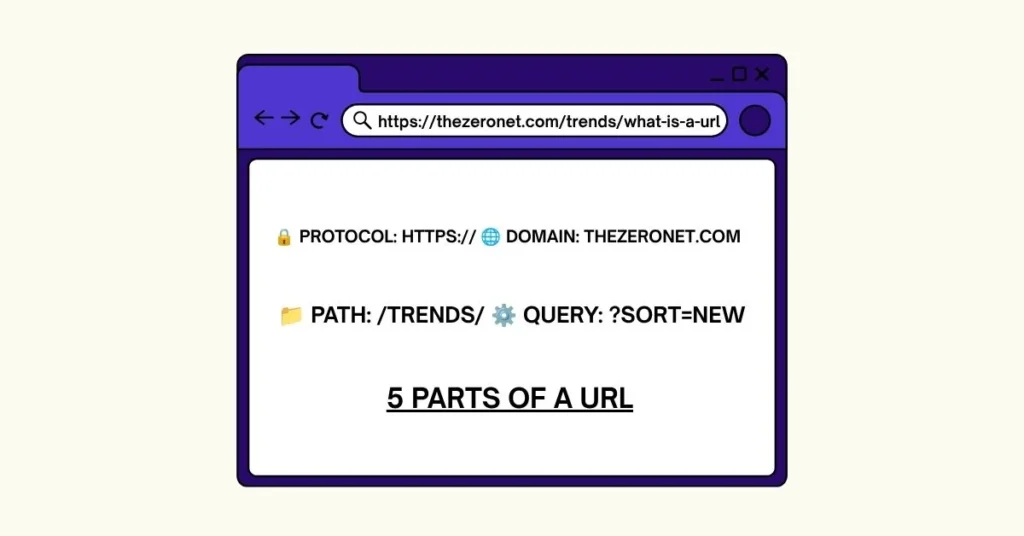
https://www.thezeronet.com/trends/what-is-a-url
Each part of that address has a specific job.
Protocol (https://) — This is the communication rulebook. It tells the browser how to talk to the server. HTTPS means the connection is encrypted and secure. HTTP without the “S” means data travels in plain text — anyone on the same network could potentially read it. Research confirms that around 96% of traffic on Google Chrome is now HTTPS-encrypted, and approximately 90% of websites on the internet have adopted SSL certification as of 2026. The remaining 10% get flagged by browsers as “Not Secure” — a trust killer for any site.
Subdomain (www) — This sits before the main domain name. “www” is the most common, but subdomains can also be things like blog.example.com or shop.example.com. They let one brand split into sections without needing separate domains for each area.
Domain Name (thezeronet.com) — This is the human-readable name of the website. Behind the scenes, it maps to a numerical IP address through a system called DNS. The domain is what people actually remember and type.
Path (/trends/what-is-a-url) — Everything after the domain tells the server which specific page or file to load. Think of it as the floor and room number inside a building. The domain gets you to the building. The path gets you to the right door.
Query Parameters — Sometimes a URL has a “?” followed by key-value pairs: ?category=tech&sort=newest. These pass extra instructions to the server, like filters on a search results page.
Fragment (#section-name) — The hash at the end of a URL jumps the browser to a specific spot on a page. The query string after “?” is sent to servers, while the fragment after “#” stays in the browser entirely — it’s a client-side instruction only.
What the Research Shows: How URLs Affect Real Behavior
Detailed analysis of how people interact with URLs reveals something most site owners overlook. Users actually read URLs before clicking. A clean, readable URL builds trust. A messy string of random characters raises suspicion — especially on mobile where the full URL isn’t always visible.
Anyone who has managed a website knows the difference between:
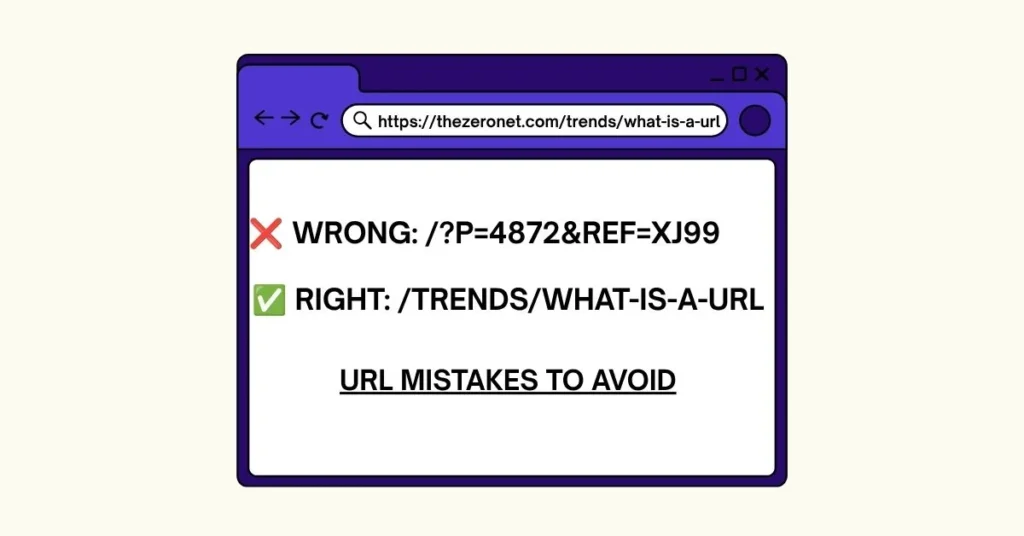
https://thezeronet.com/trends/what-is-a-url
versus
https://thezeronet.com/?p=4872&ref=xj99
The first tells you exactly what you’re getting. The second tells you nothing. Posts that include target keywords in their URL see a 45% higher click-through rate than those without such keywords, according to Backlinko research. That’s nearly half again as many clicks from the same search result page — without changing a single word of the content itself.
Types of URLs You’ll Actually Encounter
Not all URLs are built the same way. Knowing the difference helps you navigate the web more confidently and build better sites.
Absolute URLs include the complete address — protocol, domain, path, everything. Absolute URLs are great for SEO and external links because they give clear direct paths that search engines and users can easily follow. They work from anywhere because they don’t rely on any context.
Relative URLs skip the protocol and domain. They only include the path, like /about or /contact. They work within a single website because the browser fills in the missing parts from the current page’s address. Developers use these internally to keep code cleaner.
Canonical URLs solve a specific problem: duplicate content. Site owners use canonical URLs to prevent duplicate content — by setting one URL as “canonical,” search engines know which address to crawl and index. Without this, ranking signals split across duplicates and nobody ranks well.
Callback URLs are destinations that external services redirect users to after completing a task. When a user signs in with Google on a third-party site, the service redirects back to a pre-registered callback URL after authentication completes.
Vanity URLs are custom-branded short links that companies and creators build specifically to be memorable. Instead of a long address packed with slashes and parameters, a vanity URL looks clean, on-brand, and easy to say out loud. Marketing campaigns use these constantly — a billboard can’t display a 200-character URL, but it can display something short and recognizable. The link still points to the same destination, but the address itself becomes part of the brand identity.
Tiny URLs and URL Shorteners solve a different problem. When a URL is genuinely long — think tracking links, affiliate codes, or deep product pages — shorteners compress the whole thing into something shareable. Services like Bitly generate a short redirect that forwards users to the original address. Don’t confuse these with vanity URLs though. A shortened URL is about convenience. A vanity URL is about branding. One is functional, the other is intentional.
Tracking URLs are what digital marketers actually live on. A tracking URL looks like a normal address on the surface, but it carries hidden parameters — UTM codes — that tell analytics tools exactly where a visitor came from. Same destination, but the URL records whether someone clicked from an email, a social post, a paid ad, or a specific campaign. Without tracking URLs, attribution is guesswork. With them, every click tells a story.
Redirect URLs handle the messy reality of websites that change over time. Pages get moved, old content gets consolidated, domain names get updated. A redirect URL automatically sends anyone visiting the old address to the correct new one — silently, instantly, without the visitor knowing anything changed. Done right with a 301 redirect, this also passes accumulated SEO authority from the old page to the new one. Done wrong, it creates dead ends that frustrate users and confuse search engines.
What Is a URL’s Connection to SEO — What Most Guides Skip
Here’s what separates people who understand URLs from people who just use them. A URL is one of the most direct signals a search engine has about what a page covers.
URL structure matters for SEO, for user experience, for rankings, and now for visibility in AI-generated answers. Google reads the path of your URL before it reads your content. A URL like /trends/what-is-a-url tells the algorithm something about the topic before a single word of the article loads.
But here’s what most guides won’t tell you — and it’s important. Google’s John Mueller has confirmed multiple times that while Google may use keywords in a URL to understand a page, the ranking impact is “very small” and “overrated.” However, clean URLs are more likely to be selected as canonical versions, which directly affects which page gets indexed and shown in search snippets.
The four rules that hold for 2026: keep URLs under 60 characters, include the primary keyword, separate words with hyphens not underscores, and never change a URL after it has earned backlinks. That last one trips up a lot of site owners — changing a URL after it’s ranking means starting the trust-building process from zero.
And the cross-platform effect matters too. Semrush research shows approximately 67% URL overlap between AI Overviews and traditional Google search results — meaning URLs that rank in standard search are the same ones surfacing in AI-generated answers. One clean URL structure serves both engines at once.
URL vs Domain Name — A Confusion Worth Clearing Up
People mix these two terms constantly, including in professional settings. They’re not the same thing.
A domain name is just one part of a URL. thezeronet.com is a domain. https://thezeronet.com/trends/what-is-a-url is a URL. The domain is the brand’s address on the internet. The URL is the full set of directions to a specific room inside that address.
Similarly, “URL” and “link” get used interchangeably in everyday conversation. Strictly speaking, a link describes the function — taking you from one place to another — while the URL describes the location itself. A link is the clickable interface; the URL is the address behind it. Often when you hover over a hyperlink, the URL appears at the bottom of your browser — that’s the distinction playing out in real time.
Common URL Mistakes That Kill SEO and User Trust
Real-world observation of poorly performing websites shows the same mistakes coming up repeatedly:
- Using random parameters instead of clean paths — Dynamic URLs full of
?id=strings are harder for search engines to crawl and harder for users to trust before clicking - Keeping default WordPress slugs —
/?p=382is WordPress’s out-of-the-box default. Change it immediately in Settings → Permalinks to a clean structure - Using underscores instead of hyphens — Google treats hyphens as word separators but underscores as connectors — so
what-is-a-urlranks for three separate words whilewhat_is_a_urlranks for none of them - Not enforcing HTTPS — Mixed content errors and HTTP pages are instant trust and ranking killers in 2026
- Changing URLs that are already ranking — Every URL change without a proper 301 redirect loses accumulated authority. And even with a redirect, some signal is lost
How to Create an SEO-Friendly URL — Step by Step
Most people publish a page and whatever slug the CMS generates, that’s what stays. That’s how sites end up with URLs like /?p=5821 sitting in Google’s index for years, doing nothing. Building a clean URL from the start takes about thirty seconds and pays off every time someone finds that page in search.
Start with the page topic — not the title. Titles are written for humans reading headlines. URLs are written for humans reading address bars. Strip the topic down to its core phrase. A page titled “Everything You Need to Know About URL Structure in 2026” becomes /url-structure in the address bar. Same topic, zero bloat.
Put the primary keyword in the slug — once, naturally. If the page answers “what is a url,” the slug should say exactly that: /what-is-a-url. Don’t stuff variations. Don’t repeat the keyword twice. One clear phrase is enough for both the algorithm and the reader.
Use hyphens between every word, always lowercase. This isn’t a style preference — it’s a technical standard. Google reads hyphens as word separators. Underscores get treated as connectors, so what_is_a_url registers as one unrecognized string rather than three searchable words. Lowercase keeps servers from treating /About and /about as two separate pages, which creates duplicate content problems nobody wants to deal with later.
Keep the path short and logical. If the page lives inside a category, that category name goes in the path — /trends/what-is-a-url tells both the reader and the search engine exactly where this page sits in the site’s structure. Don’t stack more than two levels deep unless the content genuinely requires it. The deeper the path, the less crawl budget Google spends on it.
Never change a URL that has already earned backlinks or rankings. Every change without a 301 redirect is essentially throwing away accumulated authority. And even with a redirect in place, some signal transfer gets lost in the process. Get the URL right the first time — treat it as permanent from day one.
One last thing most guides skip: the URL should make sense when read out loud. If someone heard your URL on a podcast and had to type it from memory, would they get it right? If the answer is no, simplify it until they would.
How a Browser Actually Uses a URL — Step by Step
Most people click a link and a page loads. What happens in between is worth knowing.
The browser reads the URL and identifies the protocol first. Then it takes the domain name and sends a request to a DNS resolver — essentially a phone directory for the internet — which converts the human-readable domain into a numeric IP address. The browser opens a network connection to the server, requests the specific path, and the server sends back the file. Fast DNS and solid hosting keep this step quick so pages start loading without delay.
The whole process happens in milliseconds. But every component of the URL is playing a role in that chain. A broken path returns a 404 error. A missing HTTPS certificate triggers a security warning. A misconfigured subdomain goes nowhere.
Key Findings: What Separates Good URLs From Bad Ones
When examining how top-ranking sites structure their URLs compared to those stuck beyond page two, the pattern is consistent. High-performing URLs share these traits:
- Clean, readable paths with real descriptive words
- HTTPS enforced across every single page — no exceptions
- Consistent structure reflecting site hierarchy and topic clusters
- No unnecessary parameters appearing in publicly indexed pages
- Short enough to share and remember, long enough to be descriptive
None of this is complicated. But the sites that get it right treat URL structure as a deliberate strategic decision — not an afterthought during setup that never gets revisited.
Why What Is a URL Matters More in 2026 Than Ever Before
Search behavior has changed fundamentally. AI-driven tools like ChatGPT and Perplexity now surface content based on trustworthiness signals — and URL structure is part of that signal set. A clean, consistent URL architecture tells both traditional search engines and AI systems that a site is organized, intentional, and credible.
Google AI Overviews now appear for an estimated 30 to 40 percent of queries — which means the URLs being selected for AI-generated answers are doing double duty. They appear in standard organic results and in AI summaries simultaneously. A messy, parameter-heavy URL gets skipped by both.
As of 2026, URL optimization is no longer a niche technical concern. It’s the foundation every other SEO effort sits on. Get it right once and it compounds — get it wrong and even great content struggles to surface where it needs to be found.
FAQs
1. What does URL stand for?
URL stands for Uniform Resource Locator. It’s the complete web address that tells a browser exactly where to find a specific resource — whether that’s a webpage, image, video, or file — on the internet.
2. What’s the difference between a URL and a domain name?
A domain name is just one part of a URL. The domain is the brand’s address like thezeronet.com. The URL is the full set of directions including protocol, domain, path, and any additional parameters pointing to a specific page or resource.
3. Does a URL affect SEO rankings?
Yes, but the direct ranking impact is smaller than most people think. Google’s John Mueller has called it “very small.” The bigger impact is on click-through rate — keyword-relevant URLs get significantly more clicks from search results, which indirectly influences rankings over time.
4. What is the difference between HTTP and HTTPS in a URL?
HTTP transfers data in plain text — anyone on the same network can potentially read it. HTTPS adds encryption through SSL/TLS, keeping data private and secure. Around 96% of Chrome traffic is now HTTPS-encrypted, and browsers actively flag HTTP pages as unsafe.
5. What is a canonical URL and why does it matter?
A canonical URL is the designated “official” version of a page when multiple URLs lead to the same content. It tells search engines which version to index and rank, preventing duplicate content from splitting ranking signals across multiple addresses — which would otherwise hurt everyone’s chances of ranking.
